A URL for every artifact Claude makes
Where your teammates
and Claude work on artifacts.
One command from Claude Code, Claude Desktop or the web app. Your team opens it with the Google or Microsoft account they already use – no Claude seat, no download, no expiring link.
The demo shows an agent publishing a doc to display.dev – from a chat or a terminal – then a teammate opening its URL, selecting Edit, changing a number on the page and saving v2, a colleague commenting on v2, the agent publishing v3 at the same URL and resolving the comment, and the doc being shared with someone outside the company.
Cursor, Codex, Claude Code – any agent that writes a file. Switch agents anytime – your URLs, versions and comments stay put.
Used by top teams at












Share artifacts between Claude Pro, Max, Team and Enterprise
Many developers and designers pay for a personal Max plan to get higher usage limits. The rest of the company is on Claude Team or Enterprise. Claude keeps these accounts separate. On display.dev, everyone signs in to your company's organization with their work email, so the Claude plan does not matter.
| Task | In Claude | In display.dev |
|---|---|---|
| Share from a personal Max plan with your company's Team org | Invite each person by email, in beta | Choose Company. Everyone at your company opens it |
| Share from an Enterprise org with a colleague on Max or Team | Outside invitations are off by default | Same organization. Nothing to turn on |
| Open an artifact that someone shared with you | You need a Claude account | Your work email. No Claude account |
| Share a Claude Doc outside a Team or Enterprise org | Not available | Any HTML or Markdown file |
| Ask the AI in a comment | Not for people invited from outside the org | Each person's own agent reads the comments |
Any member can comment on a Company artifact or edit it in the browser. Each member can also ask their own Claude to publish the next version at the same URL. On Team and Enterprise, an Owner adds display.dev from Claude's connector directory first. Claude Code connects on any plan. Claude's rules checked on 16 October 2026 against Anthropic's Share artifacts guide.
Anthropic's share link isn't a URL for your team
Claude's built-in publish gives you a claude.ai/public/artifacts/… URL. Fine for a public demo. Claude Code Artifacts add a private page on claude.ai. Every person you invite needs a Claude account, Enterprise turns off invitations outside the organization by default, and the source has to be Claude.
display.dev opens viewing to anyone with their company sign-in and no Claude seat, adds comments and updates from any agent, and outlives the chat window.
- ✗Company data on the open webA public URL is the only way to show the page to someone without a Claude account.
- ✗Feedback goes to SlackA reader without a Claude account cannot comment, so notes land somewhere the agent can't read.
- ✗The chat expires, the link should notSix months later the context is gone and so is the artifact.
- ✗Fifty artifacts, no addressesNothing to organize, nothing on your own domain.
- ✗Another consumer share surfaceOne more thing for your security team to say no to.
Three ways to publish from Claude
Ask your agent to publish it
"Publish ./artifact.html to Display."
Your agent returns a link, for example https://acme.dsp.so/0kzNYG7O-revenue-dashboard.
The agent publishes the file and returns the URL. What opens is the artifact itself – JavaScript, charts, filters, hover states – not a screenshot of it.
To change it later, republish with the artifact's short_id and current base_version. Same URL, new version, comments and history intact.
Who can open it
The same shape as Anthropic's publish, on your own domain, with comments and version history added.
Named email addresses only. Useful for a client or a vendor you don't want to hand company sign-in to.
Anyone signing in with a verified company domain gets in – Google Workspace, Microsoft Entra ID, or a one-time password by email. Viewers are unlimited and free.
You change the level any time. Move an artifact from company-gated to public and back. The URL stays the same.
What Claude builds, your team opens
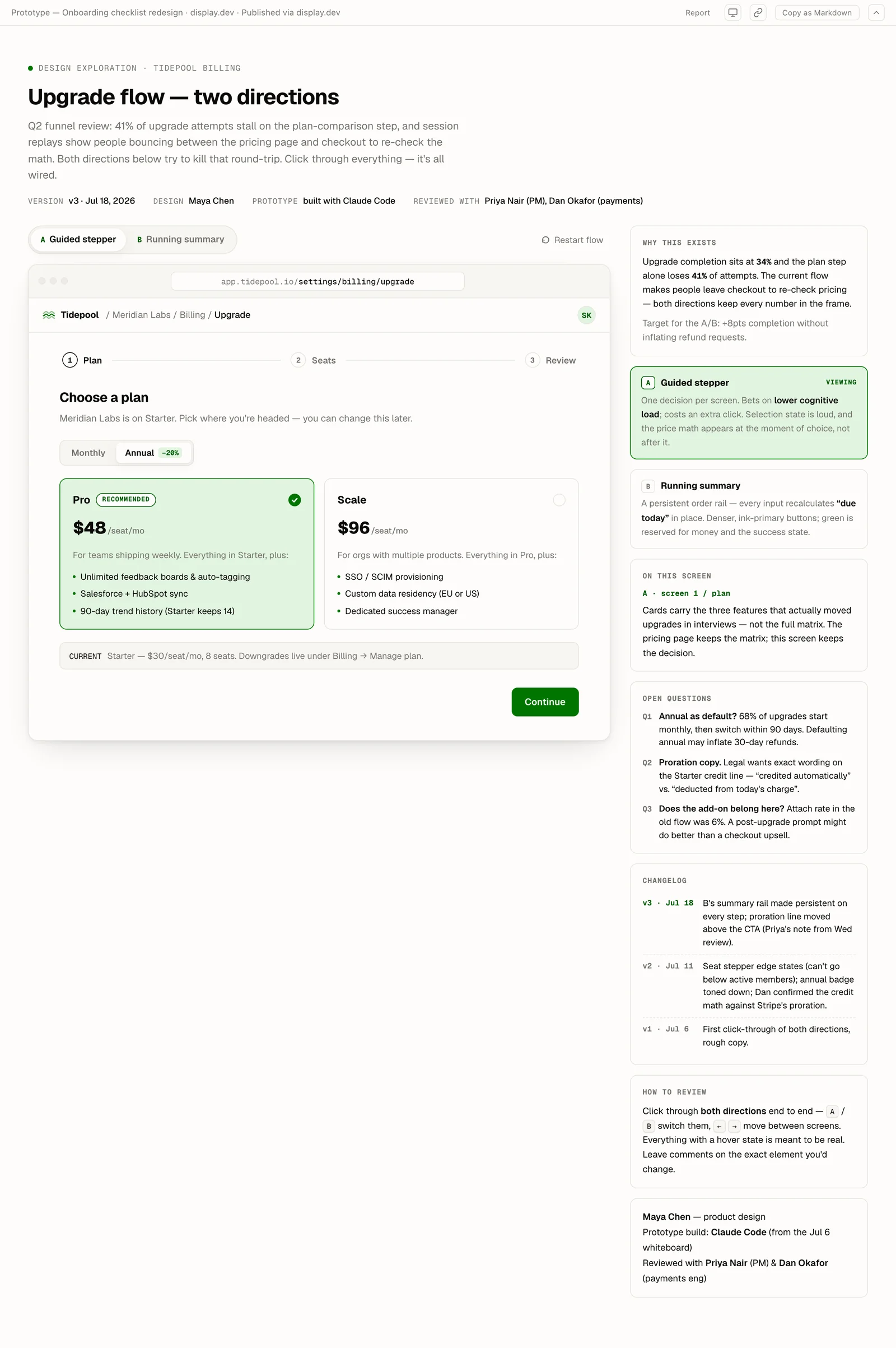
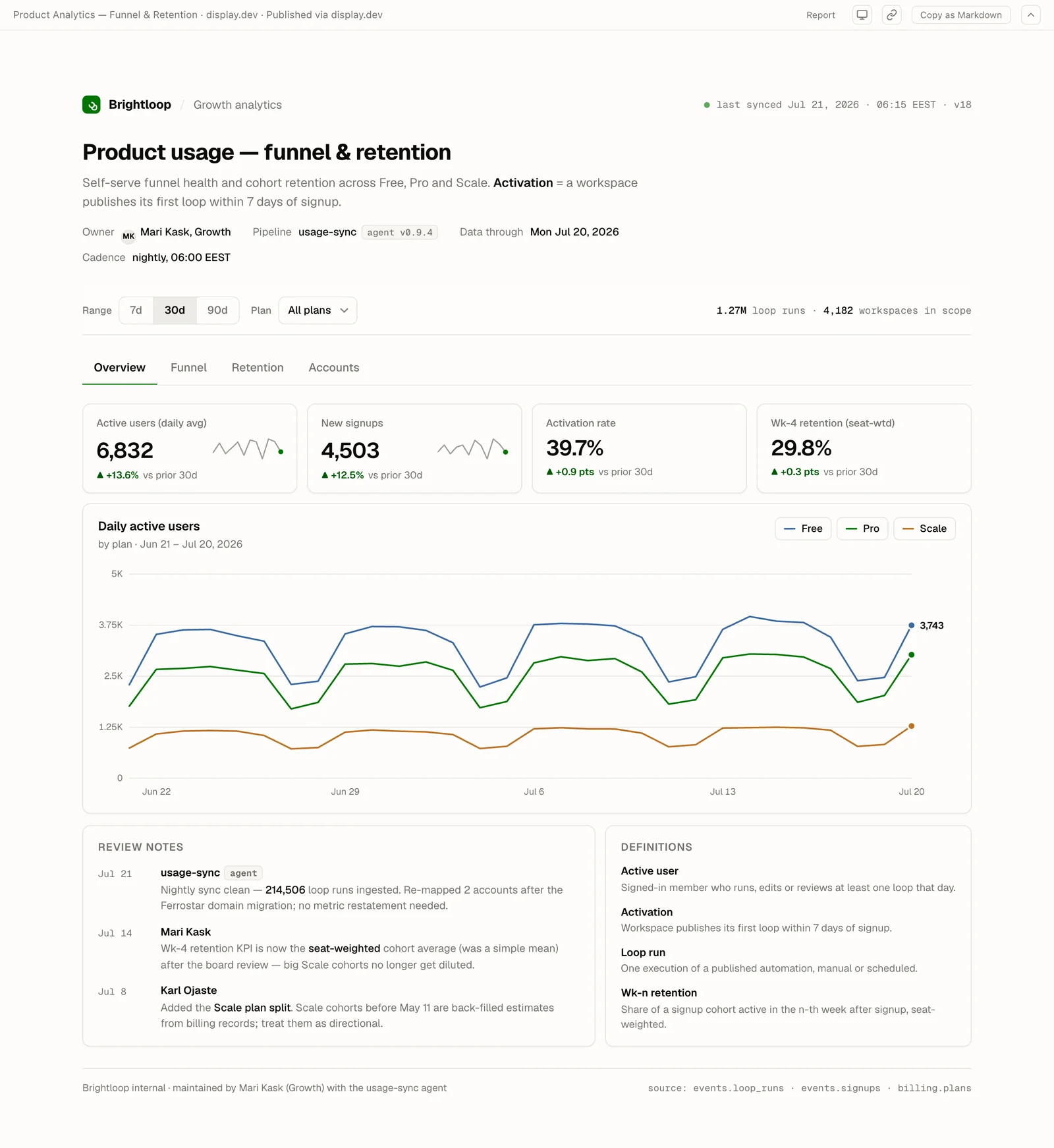
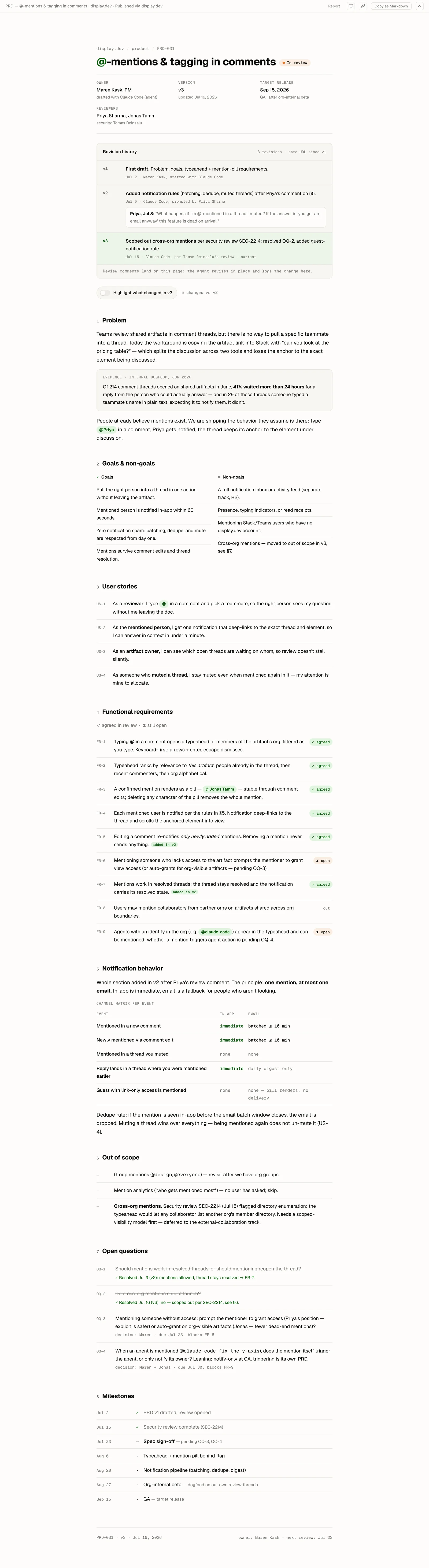
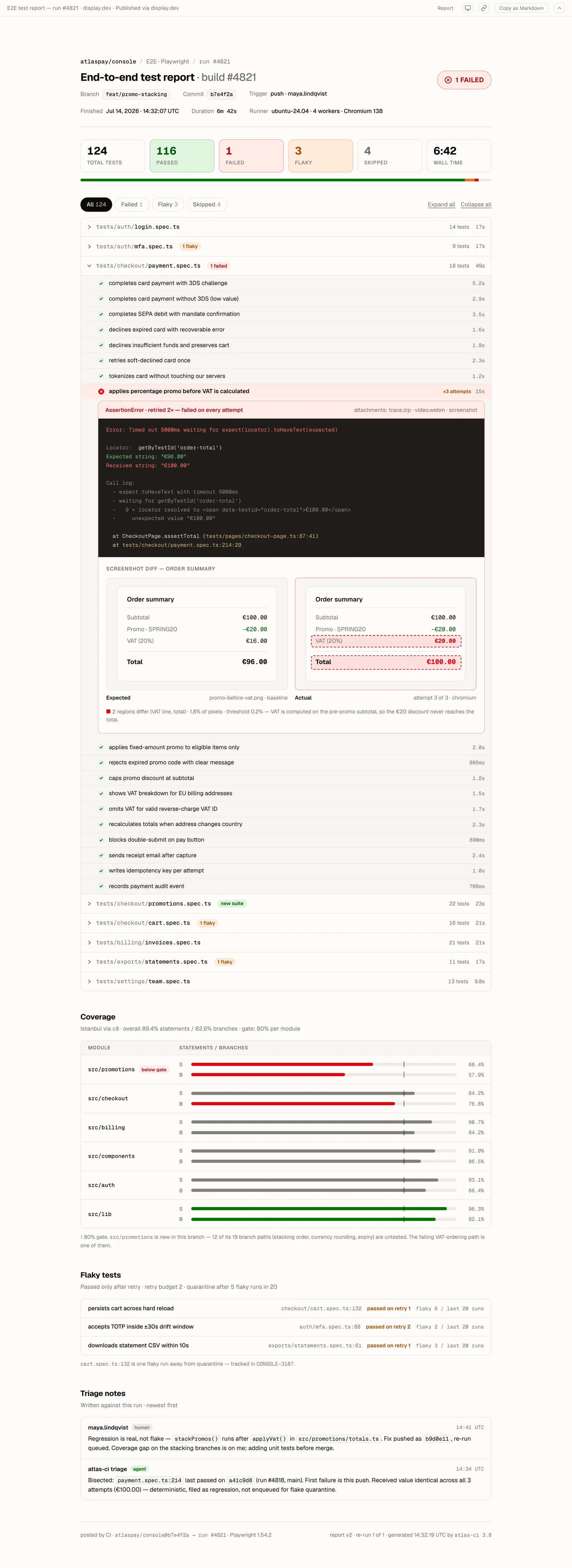
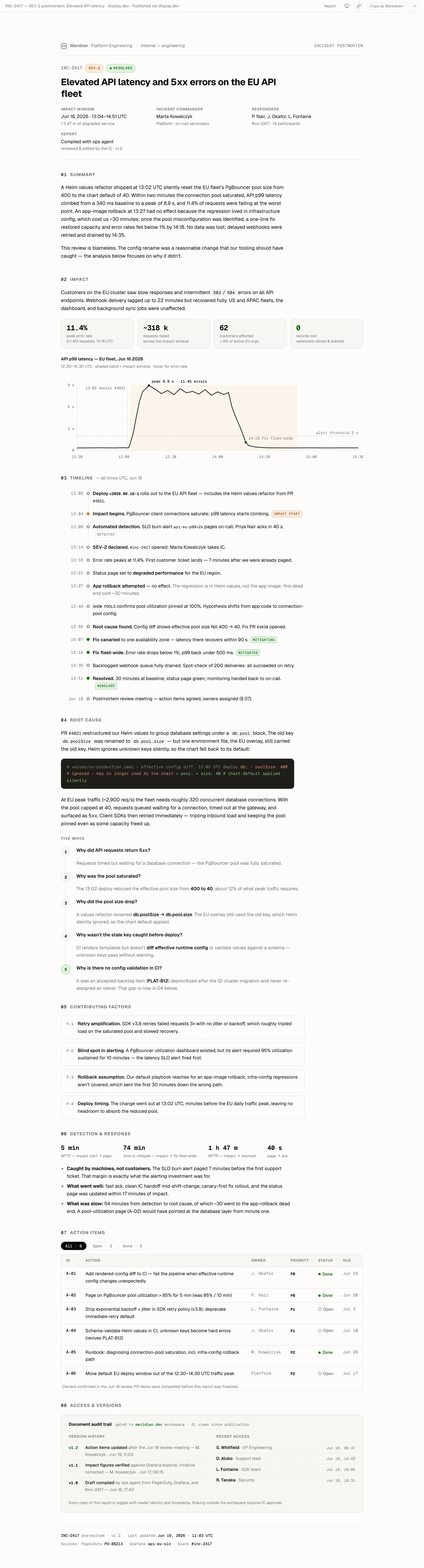
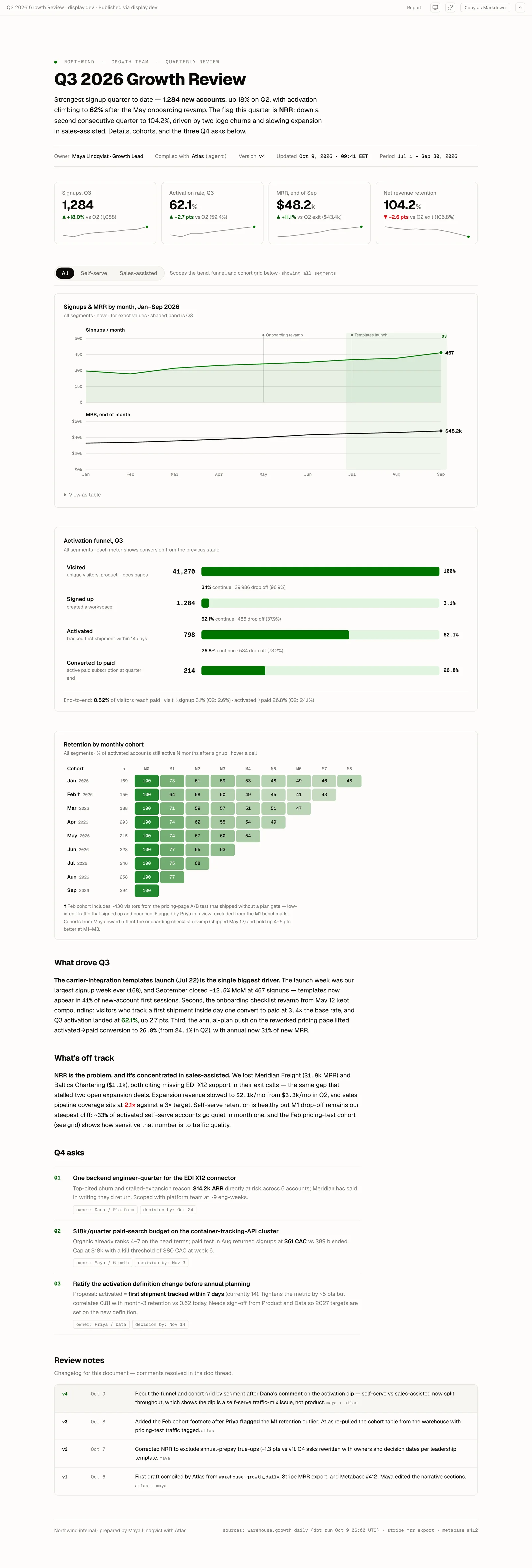
Anything Claude can write, your team can open in a browser. Six artifacts published from real agent runs – every one of them live right now.
Compared to the alternatives
| Method | Its own URL | Company auth | Invited people | Inline comments | Custom domain |
|---|---|---|---|---|---|
| Anthropic publish | ✅ (on claude.ai) | ❌ | ❌ | ❌ | ❌ |
| ShareMyArtifact | ✅ | ❌ | ❌ | ❌ | ❌ |
| ShareDuo | ✅ | ❌ | ❌ | ❌ | ❌ |
| OneClickLive | ✅ | ❌ | ❌ | ❌ | ❌ |
| Tiiny Host | ✅ | ❌ | ❌ | ❌ | Pro |
| display.dev | ✅ | ✅ | ✅ | ✅ (read via MCP) | Enterprise |
The other tools stop at "the link works." display.dev is built for what happens after that: humans leave feedback, the agent reads it back and republishes.
Publish, gate, comment, iterate – at one URL
Claude publishes, your team comments, then it republishes with the artifact ID and base version.
Edit any document in-line.
Fix any line right where you read it.
A Q3 delivery report is open on display.dev, with 89.7% in its On-time rate tile. Someone selects Edit in the header, changes the tile to 94.4% on the page, and selects Save changes. The report reopens as version 4 at the same URL.
Shows this step in the loop
Pricing
Try it. No credit card.
- Included: 3 gated artifacts
- Included: Unlimited public artifacts*
- Included: 50MB storage
- Not included: Version history
- Not included: Google + Microsoft SSO
- Not included: Audit logs
display.dev branded
Individuals. Unlimited gated sharing.
- Included: Unlimited gated artifacts
- Included: Unlimited public artifacts
- Included: 1GB storage
- Included: 10 versions
- Not included: Google + Microsoft SSO
- Not included: Audit logs
For teams who need SSO & audit logs.
- Included: Unlimited gated artifacts
- Included: Unlimited public artifacts
- Included: 25GB storage
- Included: 50 versions
- Included: Google + Microsoft SSO
- Included: 90 days audit logs
For compliance-driven organizations.
From €499/mo
- Included: Unlimited gated artifacts
- Included: Unlimited public artifacts
- Included: Custom storage
- Included: Unlimited versions
- Included: Google + Microsoft SSO
- Included: 365 days audit logs
Free covers 3 gated artifacts, unlimited public links and unlimited viewers – enough to run the loop with your team before you pay anything.
Features
A PM highlights a paragraph and drops a note. Your agent reads the thread over MCP, fetches the current version, republishes with short_id and base_version, then resolves the thread. For a small fix, your team selects Edit and changes the page directly.
Google Workspace and Microsoft Entra ID, or a one-time password by email. No new accounts for viewers, no per-viewer license.
Every republish adds a version to the same link. Viewers always get the latest; earlier versions stay one click away on the version pill.
Claude Code today, Codex or Cursor tomorrow. The URLs, versions and comments stay where they are.
Interactive charts, custom CSS, embedded data. If Claude can write it, display.dev serves it.
Who opened the artifact, when, and which sign-in they used – on Pro and above.
What teams say
It's helped us delay a switch to Anthropic enterprise plans, which we probably would've been forced into so we could collaborate on Claude Design output.Read the story

Try it free
- Publish a Claude artifact in under a minute, no card
- Keep the URL when you upgrade
- Unlimited viewers on every plan
Common questions.
Does this work with Claude Code, Claude Desktop and the web app?
All three. Claude Code publishes from the terminal. Claude Desktop publishes through the MCP server. For an artifact or Claude Design prototype built in the claude.ai web app, export its standalone HTML file and publish it in app.display.dev. In three exports we verified, the interactions we exercised still worked after publishing: a screen change, FAQ expansion and search filtering.
Can people on different Claude plans work on the same artifact?
Yes. display.dev does not check which Claude plan anyone has. A designer can use a personal Max plan while a colleague uses your company's Team or Enterprise plan. Both sign in to the same display.dev organization with their work email. Both can comment on and edit Company artifacts. Either person's Claude can publish the next version at the same URL.
Do viewers need a Claude seat or a display.dev account?
Neither. They open the link and sign in with the Google or Microsoft account they already use, or with a one-time password by email. Viewers are unlimited on every plan, including Free – you pay for publishing, not for the people reading.
Can Claude read the comments back and update the artifact?
Yes, and it's the reason the page exists. The MCP server exposes the comment threads alongside get, publish and resolve. Claude reads a thread, fetches the current version, edits, republishes with short_id and base_version, and resolves the thread – no human in the middle for the maintenance pass.
Can my team fix the artifact without asking Claude again?
Yes, for small fixes. Open the artifact, select Edit, change the text on the page, and save. The save is the next version at the same URL, and Claude reads that version before its next update. Invited guests can open it but cannot edit it. Text that JavaScript draws at runtime still changes through Claude.
Does the URL stay the same when Claude republishes?
Yes. Each republish adds a version to the same link, so anything you pasted into Slack, Notion or a calendar invite keeps working. Viewers get the latest; earlier versions stay one click away on the version pill.
Does the artifact still work, or does it turn into a screenshot?
It works. What you publish is the file itself, so JavaScript, CSS, charts, filters and hover states all behave exactly as they did in Claude. HTML and Markdown both render.
How big can an artifact be?
Up to 10 MB per file on Free and 50 MB on paid plans – far above anything Claude writes as a single page, including artifacts with data embedded in them.
I have HTML that Claude didn't write. Does that work?
Yes. display.dev never inspects what produced the file. Same flow for Cursor, Codex and v0, and sharing a plain HTML file with your team works the same way.
Can I use a custom domain instead of `*.dsp.so`?
Yes, on Enterprise. Bring your own domain (e.g. share.acme.com), point a CNAME at us, done.
Publish your first artifact in 15 seconds.
Free tier. No credit card. One-time password auth on free, Google + Microsoft SSO on Pro (€49/month flat).