A URL for every dashboard your agents make
Where your team
and agents work on dashboards.
One command. Your Plotly, D3, or Observable HTML dashboard becomes an authenticated URL that never changes – interactive for every stakeholder with a company email.
The demo shows an agent publishing a doc to display.dev – from a chat or a terminal – then a teammate opening its URL, selecting Edit, changing a number on the page and saving v2, a colleague commenting on v2, the agent publishing v3 at the same URL and resolving the comment, and the doc being shared with someone outside the company.
Cursor, Codex, Claude Code – any agent that writes a file. Switch agents anytime – your URLs, versions and comments stay put.
Used by top teams at












The command
"Publish ./dashboard.html to Display for everyone at my company."
Your agent publishes the dashboard and returns the link, for example https://acme.dsp.so/0kzNYG7O-sales-dashboard-q1.
Your VP Sales clicks, authenticates with their company email, and interacts with the dashboard – filters, tooltips, drill-downs and all.
Starting from a blank page? The data dashboard and KPI report templates publish in one click – no account.
Interactive dashboards don't survive the usual sharing methods
Data teams build dashboards in Plotly, D3, Observable, Bokeh or Altair that export to self-contained, fully interactive HTML. Then sharing happens.
The analysis that took weeks gets shared as a screenshot of one chart, and the VP asks a follow-up the dashboard would have answered in two clicks.
- ✗Emailcorporate mail security blocks HTML attachments, and a delivered file opens locally with broken paths.
- ✗Slackdownloads as a file. The recipient opens it in TextEdit.
- ✗Google Drivestores the file, doesn't render it.
- ✗Notion or Confluencestrips the JavaScript. The chart becomes a broken placeholder.
- ✗Looker or Tableautheir own licenses and seats, and your custom D3 dashboard isn't a Looker chart.
- ✗Screenshotone frame of a dynamic artifact. Filtering, zoom and drill-down gone.
display.dev vs. alternatives for dashboard sharing
| display.dev | BI Tool (Looker/Tableau) | Google Drive | Confluence/Notion | |
|---|---|---|---|---|
| Self-contained HTML dashboards | ✅ | ❌ (their format) | ❌ (downloads) | ❌ (strips JS) |
| Interactive charts | ✅ | ✅ | ❌ | ❌ |
| Company SSO | ✅ (€49/mo) | ✅ (expensive) | ✅ (Google) | ✅ (per seat) |
| Persistent URL | ✅ | ✅ | ✅ | ✅ |
| No per-seat fees | ✅ | ❌ | ✅ | ❌ |
| Format-agnostic (any HTML) | ✅ | ❌ | ❌ | ❌ |
| Setup time | 15 sec | Days/weeks | Instant | Instant (broken) |
Workflows by framework
- Plotly
- Write the figure out with pio.write_html and include_plotlyjs='cdn' for a self-contained file, then ask your agent to publish it.
- Altair
- Same shape: chart.save('chart.html') in Python, then ask your agent to publish the file.
- Observable
- Export the notebook with the Observable runtime. Ask your agent to bundle it into one self-contained HTML file and publish it.
- D3, single file
- D3 dashboards are usually one self-contained file already. Publish it as is.
- Multi-file build
- Ask your agent to inline the separate JS, CSS and data files into one self-contained HTML file, then publish it.
What stakeholders see
Dashboards teams publish
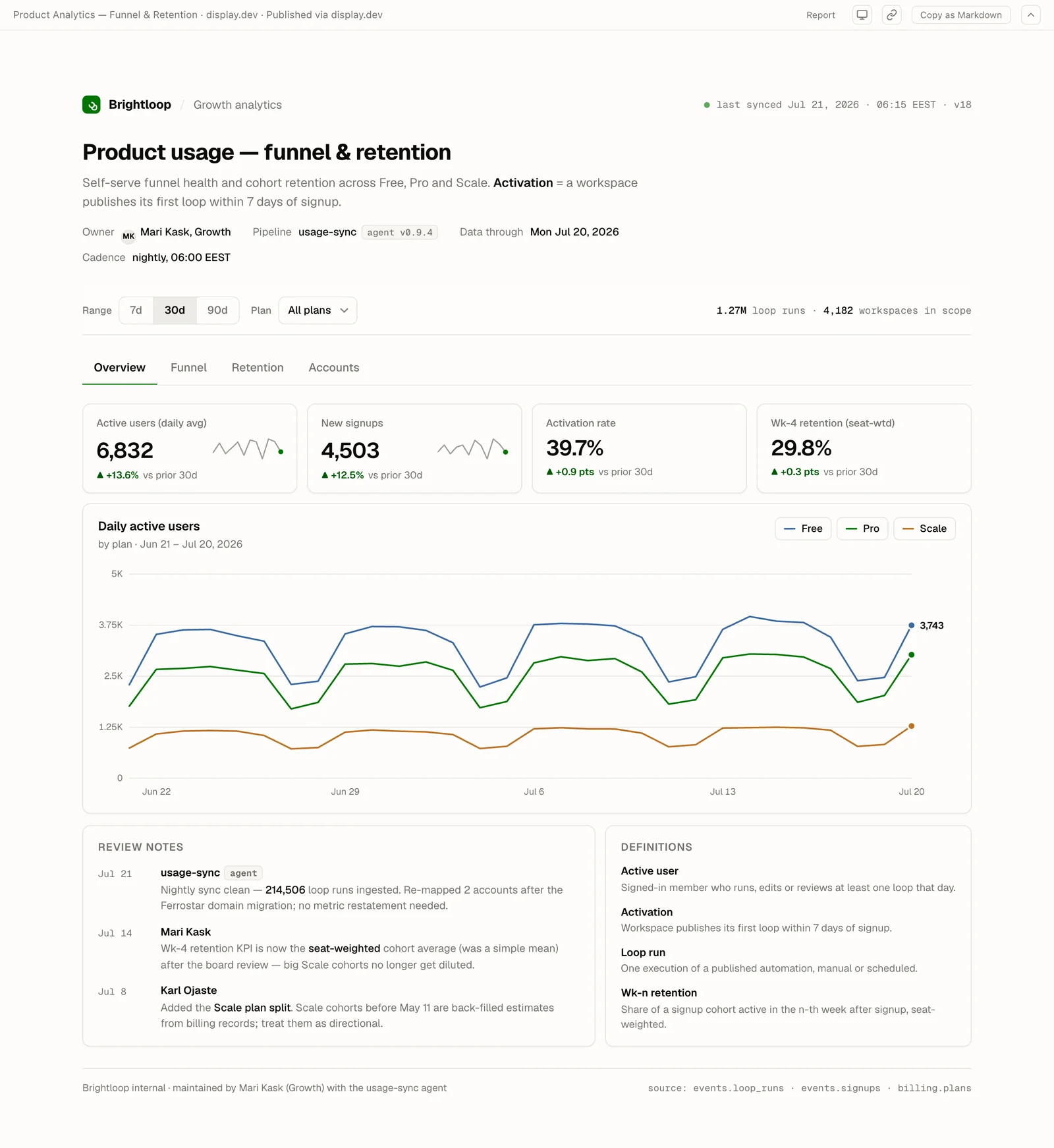
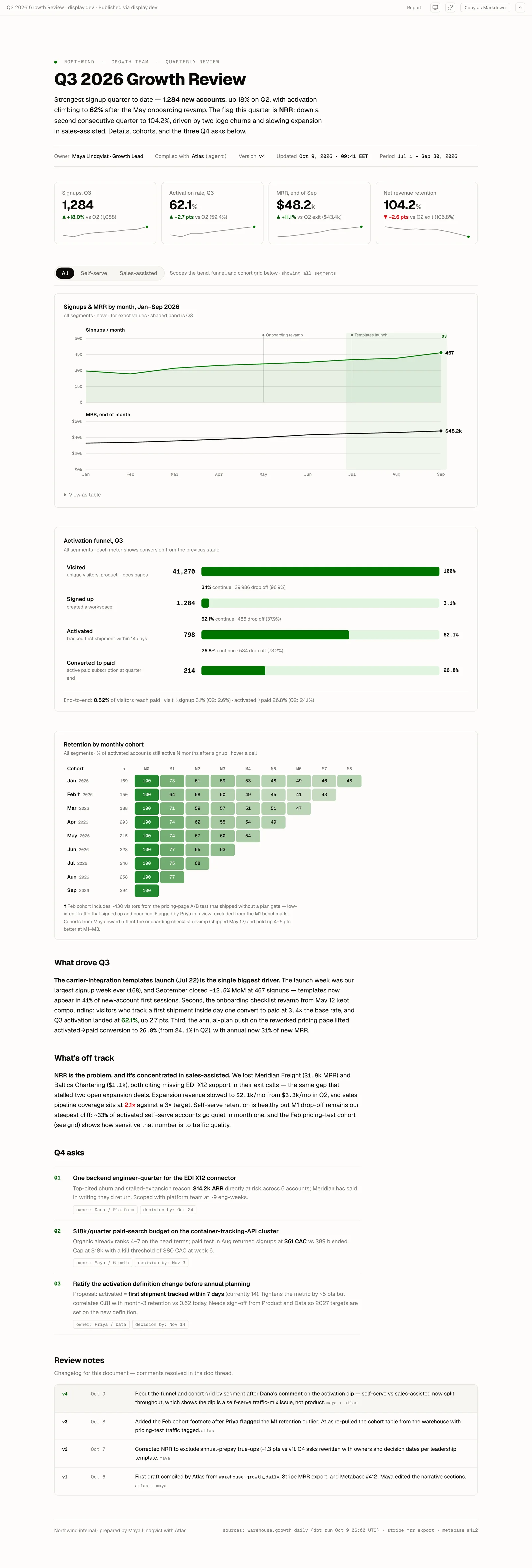
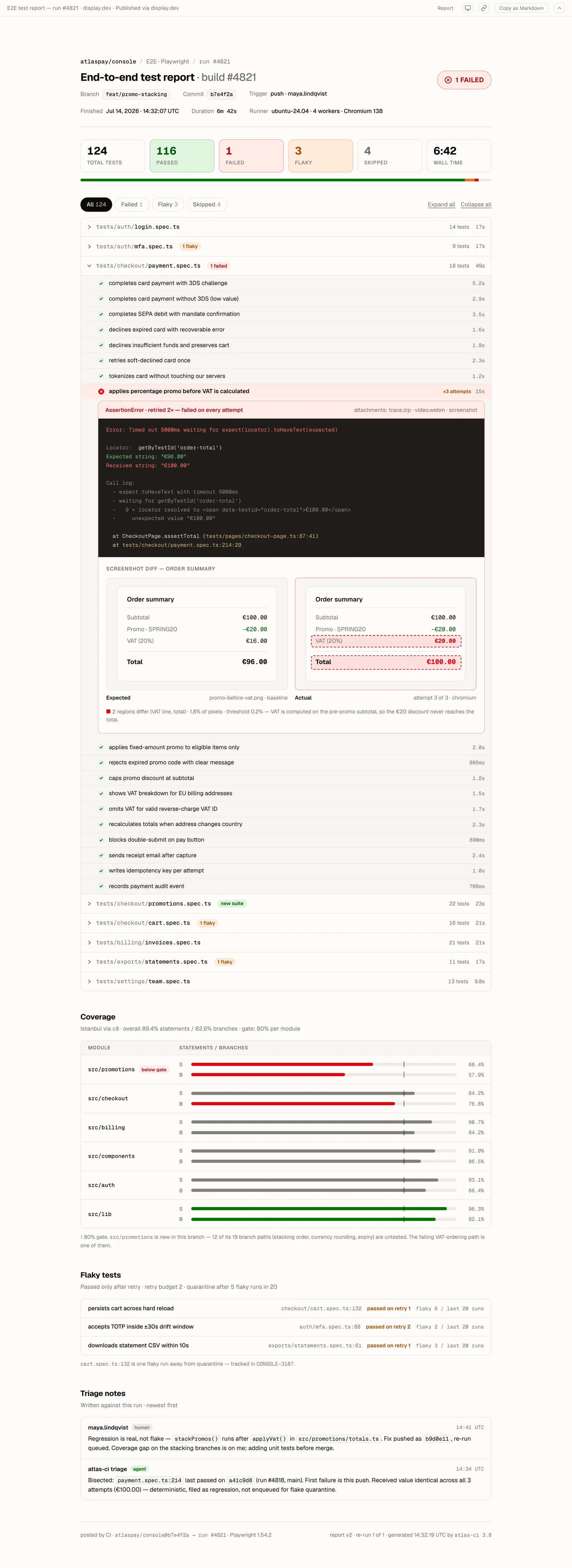
Every example below is a real artifact published on display.dev, live right now.
Pricing
Try it. No credit card.
- Included: 3 gated artifacts
- Included: Unlimited public artifacts*
- Included: 50MB storage
- Not included: Version history
- Not included: Google + Microsoft SSO
- Not included: Audit logs
display.dev branded
Individuals. Unlimited gated sharing.
- Included: Unlimited gated artifacts
- Included: Unlimited public artifacts
- Included: 1GB storage
- Included: 10 versions
- Not included: Google + Microsoft SSO
- Not included: Audit logs
For teams who need SSO & audit logs.
- Included: Unlimited gated artifacts
- Included: Unlimited public artifacts
- Included: 25GB storage
- Included: 50 versions
- Included: Google + Microsoft SSO
- Included: 90 days audit logs
For compliance-driven organizations.
From €499/mo
- Included: Unlimited gated artifacts
- Included: Unlimited public artifacts
- Included: Custom storage
- Included: Unlimited versions
- Included: Google + Microsoft SSO
- Included: 365 days audit logs
Features
Viewers click a link and sign in with their Google or Microsoft account, or a one-time password. No app to install. No account to create. No IT ticket.
Inline comments on every artifact. Your agent reads them via MCP, fetches the current version, republishes with short_id and base_version, and resolves the thread. The artifact stays the current version at the same URL, not a one-shot screenshot.
Ask your agent to publish the file to Display, in your terminal or in Claude Desktop. No git repo, no deploy pipeline, no project to configure.
Every artifact gets a URL that keeps working. Share in Slack, link in Notion, paste in email. It still works six months later.
No per-seat pricing at any tier. Share with your PM, exec, legal team, or designer for the same flat price.
Cursor, Codex, and Claude Code all work, along with any agent that creates HTML or Markdown output.
Try it free
- Publish an interactive dashboard in 15 seconds, no card
- Stakeholders sign in with the Google or Microsoft account they already use
- Unlimited viewers on every plan
Common questions.
Does display.dev support Plotly Dash?
Plotly Dash is a Python server – it requires a live process to run. display.dev hosts static HTML. For sharing Dash dashboards, export them as static HTML (dash-snapshot or similar), then publish with display.dev. Alternatively, use display.dev for static Plotly charts and keep Dash for interactive server-based dashboards.
What about data privacy – does display.dev access my data?
display.dev stores and serves the HTML file you publish. If your HTML dashboard contains embedded data (e.g., Plotly with df.to_json() inline), that data is stored by display.dev. For sensitive financial or customer data, review your company's data handling policies. display.dev data is never processed by AI models and is isolated per organization.
Can I update a dashboard with fresh data?
Yes. Ask your agent to publish the new version to the same link. The link does not change. Every viewer who bookmarked or shared the link sees the updated data.
Does the 50MB free tier limit cover most dashboards?
Typical Plotly/Altair/D3 dashboards are 1–10MB. Dashboards with embedded datasets or many chart traces can reach 20–50MB. The free tier (50MB total organization storage) handles most individual dashboards; Pro tier (25GB) handles hundreds.
Can I publish dashboards from a CI/CD pipeline (automated updates)?
Yes. Add a step to your pipeline that calls Display's REST API – for example, after a scheduled dbt run or a data refresh. Add DISPLAYDEV_API_KEY as a CI secret and the job updates dashboards automatically.
Publish your first artifact in 15 seconds.
Free tier. No credit card. One-time password auth on free, Google + Microsoft SSO on Pro (€49/month flat).