A URL for every report your agents write
Where your team
and agents work on reports.
Claude Code, Cursor, Codex, and other AI tools generate HTML reports daily. display.dev is the step that gets them to your team – a URL that never changes, company auth, 15 seconds. It works with whatever agent you run today, and the reports stay put when you switch to a different one tomorrow.
The demo shows an agent publishing a doc to display.dev – from a chat or a terminal – then a teammate opening its URL, selecting Edit, changing a number on the page and saving v2, a colleague commenting on v2, the agent publishing v3 at the same URL and resolving the comment, and the doc being shared with someone outside the company.
Cursor, Codex, Claude Code – any agent that writes a file. Switch agents anytime – your URLs, versions and comments stay put.
Used by top teams at












The command
"Publish ./report.html to Display for everyone at my company."
Your agent publishes the report and returns the link, for example https://acme.dsp.so/0kzNYG7O-competitive-analysis-q2.
Any @yourco.com email authenticates once and reads the full interactive report.
Starting from a blank page? The status report and research report templates publish in one click – no account.
AI tools generate beautiful HTML. It has nowhere to go.
Claude Code, Cursor and Codex produce polished, interactive HTML as their natural output: architecture proposals, competitive analyses, market research, reports with sortable tables and interactive charts. Every one of them exits the AI conversation and hits the same wall.
The report needs an address your team can open with the account they already use.
- ✗Screenshot to Slackinteractivity gone, charts flattened, responsive layout collapsed.
- ✗Slack file uploaddownloads as a file. The recipient opens it in TextEdit and sees raw markup.
- ✗Google Docs pastethe layout collapses as it lands and the formatting is gone.
- ✗Claude's "Publish" buttona public URL with no company restriction. Your competitive analysis is readable by anyone.
- ✗GitHub PagesPMs, execs, legal and sales don't have GitHub accounts. Private repos need Enterprise Cloud.
- ✗Give upthe report stays in the conversation. The most common outcome.
Three ways to publish a report
What teams publish as reports
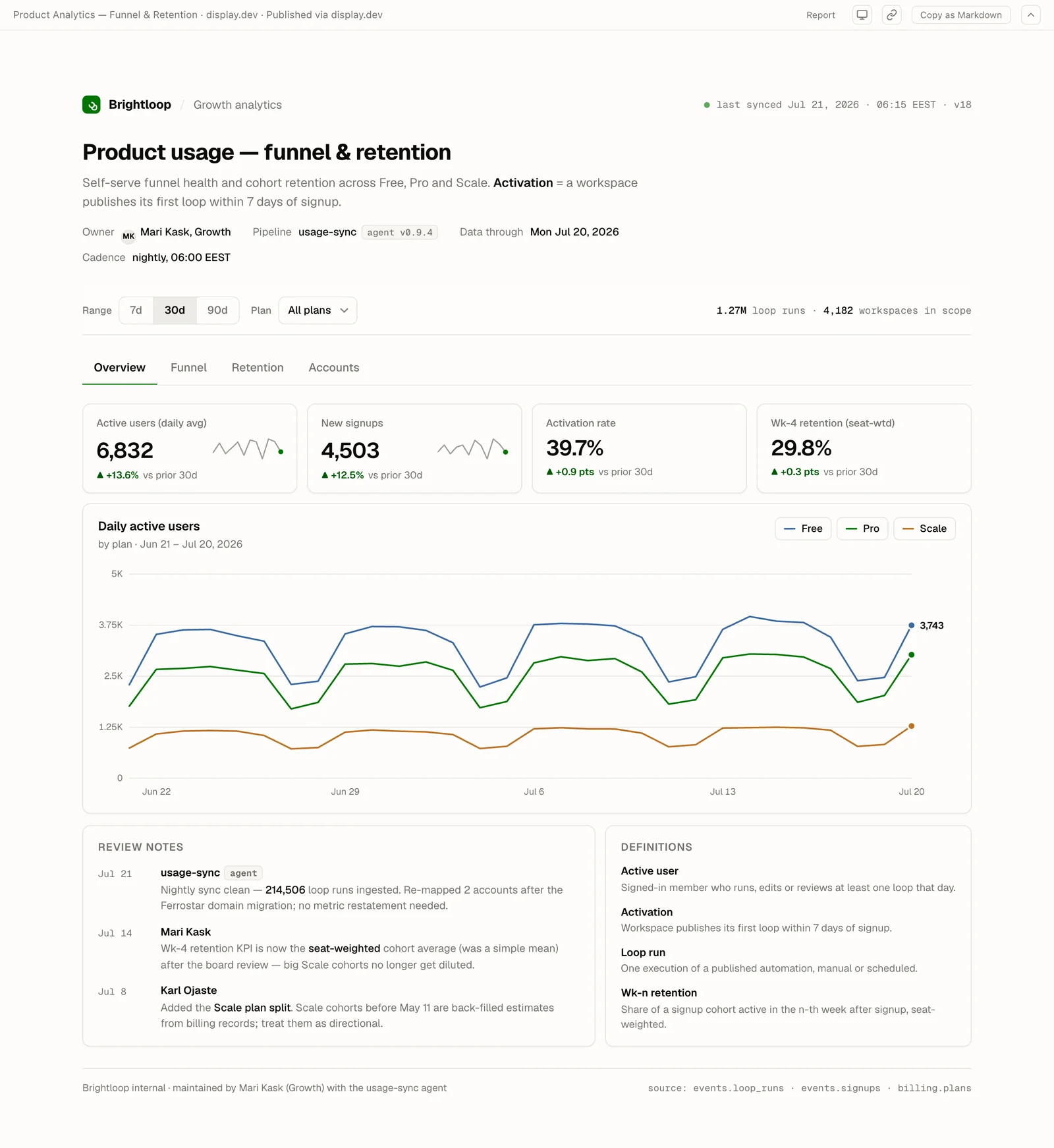
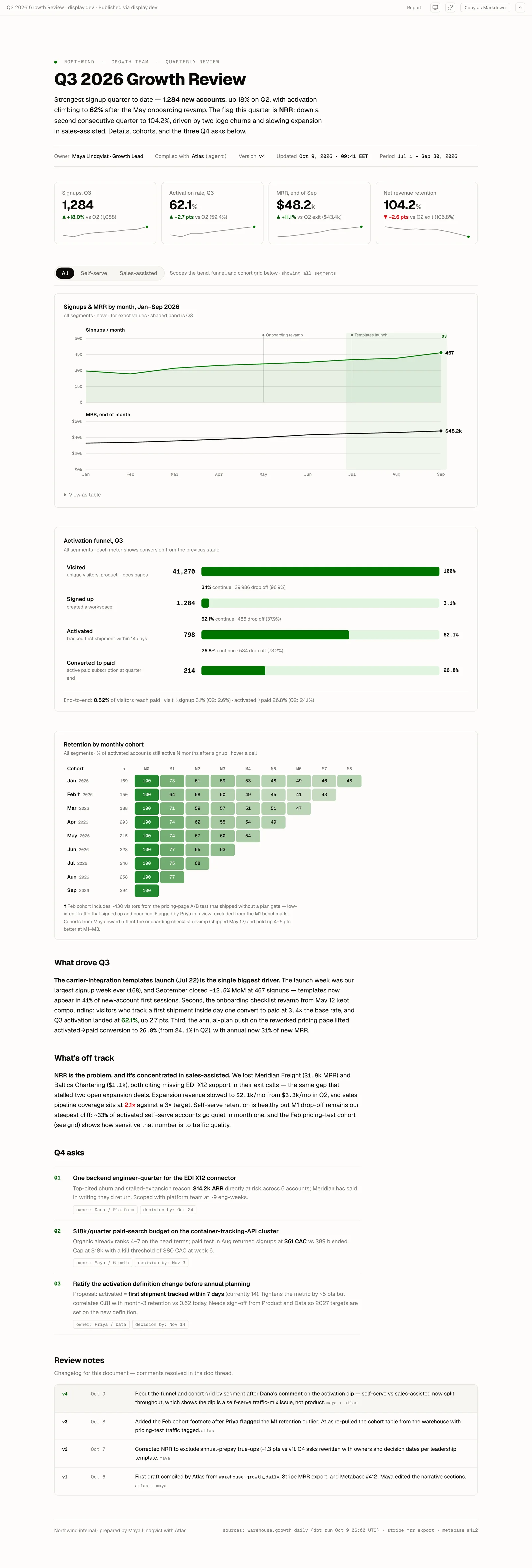
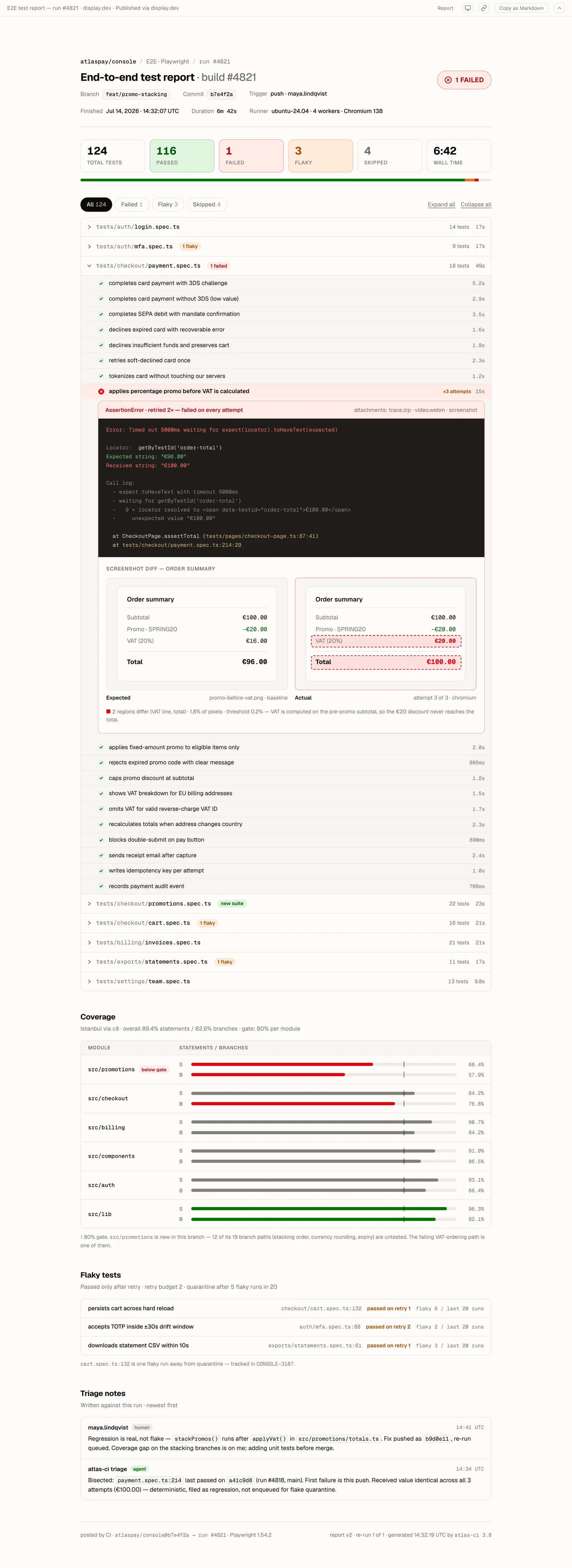
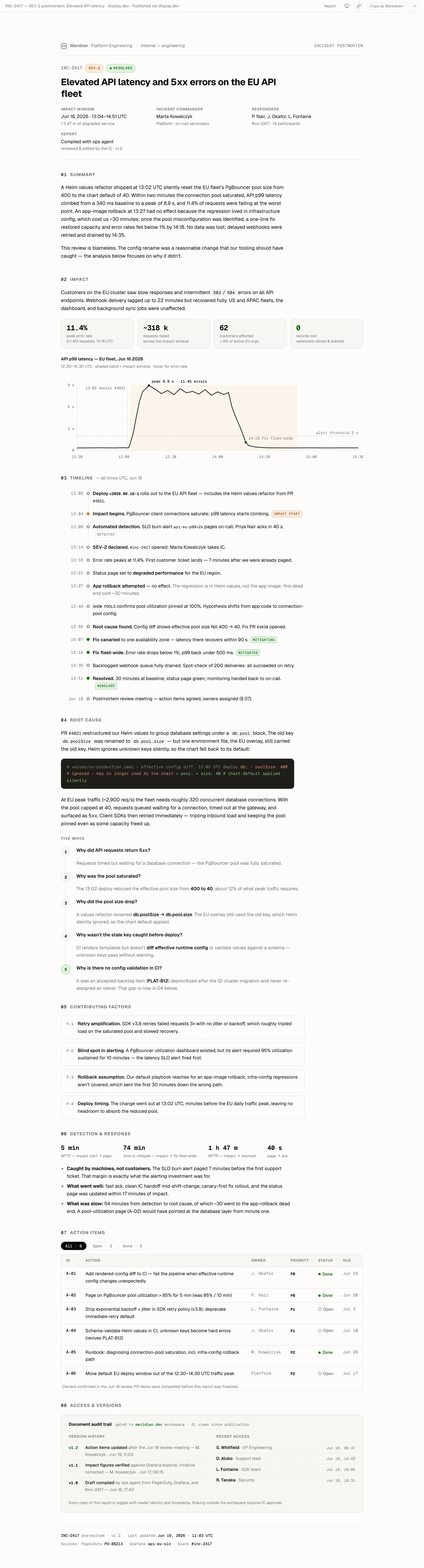
Every example below is a real artifact published on display.dev, live right now.
AI artifact sharing compared
| Method | Interactivity | Company auth | Persistent URL | Time | Cost |
|---|---|---|---|---|---|
| Screenshot to Slack | ❌ | – | ❌ | 10 sec | $0 |
| Claude Publish button | ✅ | ❌ (public) | ⚠️ unstable | 5 sec | $0 |
| GitHub Pages (private) | ✅ | ❌ / $2,100/mo | ✅ | 5–30 min | $2,100/mo |
| Vercel + sign-in | ✅ | ✅ | ✅ | Longer, more steps | Pro per seat, and IdP sign-in needs Enterprise |
| display.dev | ✅ | ✅ | ✅ | 15 sec | €49/mo flat |
Pricing
Try it. No credit card.
- Included: 3 gated artifacts
- Included: Unlimited public artifacts*
- Included: 50MB storage
- Not included: Version history
- Not included: Google + Microsoft SSO
- Not included: Audit logs
display.dev branded
Individuals. Unlimited gated sharing.
- Included: Unlimited gated artifacts
- Included: Unlimited public artifacts
- Included: 1GB storage
- Included: 10 versions
- Not included: Google + Microsoft SSO
- Not included: Audit logs
For teams who need SSO & audit logs.
- Included: Unlimited gated artifacts
- Included: Unlimited public artifacts
- Included: 25GB storage
- Included: 50 versions
- Included: Google + Microsoft SSO
- Included: 90 days audit logs
For compliance-driven organizations.
From €499/mo
- Included: Unlimited gated artifacts
- Included: Unlimited public artifacts
- Included: Custom storage
- Included: Unlimited versions
- Included: Google + Microsoft SSO
- Included: 365 days audit logs
Features
Viewers click a link and sign in with their Google or Microsoft account, or a one-time password. No app to install. No account to create. No IT ticket.
Inline comments on every artifact. Your agent reads them via MCP, fetches the current version, republishes with short_id and base_version, and resolves the thread. For a small fix, your team selects Edit and changes the page directly. Every change lands at the same URL.
Ask your agent to publish the file to Display, in your terminal or in Claude Desktop. No git repo, no deploy pipeline, no project to configure.
Every artifact gets a URL that keeps working. Share in Slack, link in Notion, paste in email. It still works six months later.
No per-seat pricing at any tier. Share with your PM, exec, legal team, or designer for the same flat price.
Cursor, Codex, and Claude Code all work, along with any agent that creates HTML or Markdown output.
Try it free
- Publish an AI-generated report in 15 seconds, no card
- Keep the URL when you upgrade
- Unlimited viewers on every plan
Common questions.
Does display.dev work with any AI tool, or just Claude Code?
Any AI tool that writes an HTML file to disk works with display.dev. Claude Code, Cursor, Codex, Copilot Workspace, Devin, Bolt, Lovable – any output that's a .html file can be published by your agent.
What happens to the report content – is it processed by AI?
No. display.dev stores your HTML files and serves them to authenticated viewers. No content is processed by any AI model. Your competitive analyses, architectural decisions, and internal research stay internal.
Can I use display.dev for confidential reports?
display.dev restricts access to company email addresses. Anyone without a @yourco.com email cannot authenticate. For enhanced security, Enterprise customers can restrict to specific email domains and get full audit logs of who viewed what.
What if the AI generates several files?
Ask your agent to inline the CSS, JS and data into one self-contained HTML file, then publish that file. A single self-contained HTML file is the safe shape.
Can AI agents publish automatically via MCP?
Yes. display.dev's MCP server exposes publish as a callable tool. Any MCP-compatible agent can call it. Configure once, and your AI tools publish their outputs to company-gated URLs without manual intervention.
Specifically about Claude artifacts?
See /share-claude-artifact for the Claude-specific walkthrough – CLI, MCP, and the inline-comments-via-MCP loop that lets a teammate leave feedback the agent reads back.
What if I just want a URL for an HTML file, no AI in the loop?
See /host-html-file for the bare hosting framing – a URL open to anyone, to invited people, or to everyone at your company.
Publish your first artifact in 15 seconds.
Free tier. No credit card. One-time password auth on free, Google + Microsoft SSO on Pro (€49/month flat).